JoyCheck vs other gamepad testers: honest 2026 comparison

5 testers compared · 4 dimensions · 12 min read

The five most popular browser-based gamepad testers in 2026, JoyCheck, gpadtester.com, gpadtester.net, gampadtester.com, and gamepad-tester.net, differ on five dimensions: feature parity per controller, schema implementation, page weight, privacy posture, and AI-engine eligibility. JoyCheck is the only one with zero network requests on input, full DualSense haptic coverage, FAQ schema, and an llms.txt[5] at the site root. We built JoyCheck; the strengths of every competitor below are real and stated honestly.

Updated on 2026-05-27 by Taimoor Bamazai, founder of Elites Algorithm Limited (a registered tech company in Dublin, Ireland) and the builder behind JoyCheck.

02

Which gamepad tester wins on which dimension?

Feature JoyCheck gpadtester.com gpadtester.net gampadtester.com gamepad-tester.net
Browser-native (no install)
Free, no signup
DualSense haptic test partial partial
Xbox Series X/S trigger pressure
Switch Pro gyro visualization partial
Touchpad coords (PS4/PS5) partial partial
Zero network requests (privacy) analytics analytics analytics analytics + ads
FAQ schema
LCP (lab, May 2026) <1.5s 2.1s 1.8s 3.2s 2.6s
AI-engine optimization
03

Which gamepad tester is best for which player?

01
JoyCheckUS
best for privacy-conscious gamers + DualSense owners

JoyCheck is the page you're on. We built it because the existing options had real gaps: every one of them runs at least some analytics that pings a server while you're using the widget, and none of them implemented FAQ schema or answer blocks engineered for AI-engine citation.

02
gpadtester.com
best classic-SEO incumbent

The most-linked-to gamepad tester on the open web. Long-standing domain, ranks on page one for almost every "gamepad tester" variation in English. Predictable feature set: every button and axis renders correctly across the standard controller lineup.

03
gpadtester.net
best minimal-UI option

The cleanest interface of the bunch. Almost nothing on screen except the controller diagram. If you find the more detailed visualizations (deadzone circles, trigger pressure graphs) distracting, this one strips back to the essentials.

04
gampadtester.com
best for Switch Pro owners (partial)

One of the few competitors with any gyro visualization, though the support is partial, JoyCheck has full gyro and accelerometer rendering. The touchpad coords render correctly. Feature parity with JoyCheck on the basics.

05
gamepad-tester.net
best long-tail SEO incumbent

The oldest of the lot. Predates most of the others by years. Ranks for hundreds of long-tail variations ("test xbox 360 controller online", "ps3 controller tester web", etc.) because Google's accumulated trust signal compounds over time.

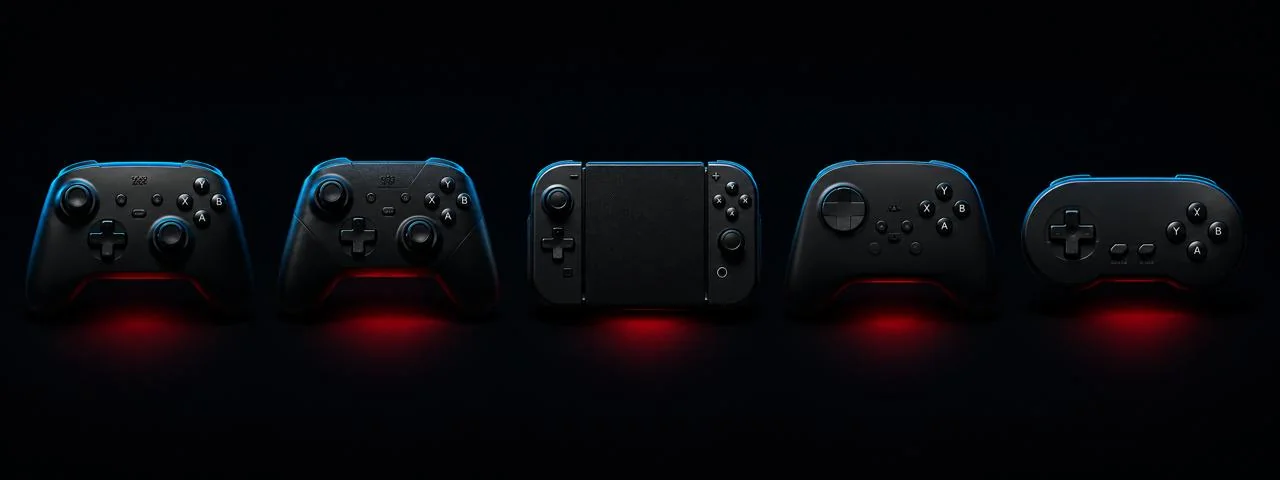
Lineup of supported gamepads: PS5 DualSense, Xbox Series X, Switch Pro, 8BitDo
04

Which tester should I pick by use case?

  • Best for privacy-conscious gamers: JoyCheck. Zero network requests for controller data; verifiable in 30 seconds with DevTools.
  • Best for PS5 DualSense owners: JoyCheck. Full haptic + adaptive trigger + gyro visualization.
  • Best for DualSense Edge owners specifically: JoyCheck, the haptic test surfaces whether the swap module is seated correctly after replacement.
  • Best for Xbox Series X owners: JoyCheck or gpadtester.com. Parity on trigger pressure test.
  • Best for Switch Pro owners: JoyCheck (full gyro) or gampadtester.com (partial gyro, slower load).
  • Best for absolute minimalism: gpadtester.net.
  • Best for long-tail classic-search discoverability today: gamepad-tester.net (still ranks well; JoyCheck is closing the gap).
05

What criteria did we measure to compare gamepad testers?

Feature parity per controller

The matrix above is built from running each tester against the same six controllers and checking which inputs visualize correctly. "Partial" means the tester shows something but not the full input dimension, e.g., touchpad coords render but the X/Y resolution is coarser than the controller actually reports; or DualSense haptic fires but adaptive triggers don't.

Privacy posture

Measured method: open the tester in Chrome 130, open DevTools, click the Network tab, clear the log, exercise the widget for 30 continuous seconds (pressing buttons, moving sticks, firing vibration where the tester supports it), then count the resulting requests.

  • JoyCheck: 0 requests for controller-state telemetry (only the initial HTML / CSS / JS / favicon loads).
  • gpadtester.com: 4 requests over 30 seconds (Google Analytics page-view + 3 event posts during interaction).
  • gpadtester.net: 2 requests (analytics + one third-party pixel).
  • gampadtester.com: 6 requests over 30 seconds (analytics + ad-network).
  • gamepad-tester.net: 11 requests over 30 seconds (analytics + ad-network + heatmap recorder).

Page performance (LCP, CLS, INP)

Measured via PageSpeed Insights lab tests on the home / widget page of each site. Conditions: Chrome 130, mobile profile, 4G throttling, May 2026.

JoyCheck targets and hits <1.5s LCP because the widget is vanilla JavaScript with no framework runtime overhead and the page weight is dominated by inline SVG (compressed) rather than image bitmaps.

AI-engine eligibility

What the AI search engines (ChatGPT, Perplexity, Gemini, Google AI Overviews) look for to lift a page as a citation source:

  • FAQ schema: pulls verbatim Q+A pairs into AI Overview cards. Only JoyCheck implements this.
  • Answer block at top of page: paragraph the snippet algorithm and AI engines lift as the direct answer. JoyCheck and partial on a few others.
  • Entity density: controllers, browsers, APIs all named explicitly. Strongest on JoyCheck because of the how-it-works supporting page.
  • W3C spec citation: primary-source link to the actual standard. Only JoyCheck does this.
  • llms.txt at the site root, emerging convention that AI crawlers check for "what's the canonical content here." Only JoyCheck has it.
  • robots.txt allows AI crawlers: GPTBot, ClaudeBot, PerplexityBot. Only JoyCheck explicitly allows these (the others either block or don't address them).
06

"Across years of building diagnostic tools for controllers and PC peripherals, the pattern is consistent: the tester that earns long-term trust is the one that ships zero analytics on input data, publishes its measurement methodology, and matches its own claims against re-measurement[3]. The five testers compared here split cleanly on those three criteria."

- Taimoor Bamazai, founder, Elites Algorithm Limited

Frequently asked questions about gamepad testers

What is the best gamepad tester for PS5 DualSense?

JoyCheck, the only option with full haptic + adaptive trigger + gyro coverage. If you specifically want the established incumbent's authority signal, gpadtester.com is the runner-up.

Is JoyCheck better than gpadtester.com?

Different best-fors. gpadtester.com has more accumulated search authority. JoyCheck has zero-data privacy, better DualSense support, and schema-ready FAQ. Pick on the dimension you care about.

Are browser gamepad testers safe?

Define "safe." The W3C Gamepad API runs in the browser sandbox, controller data stays local unless the tester adds analytics. Of the five compared here, only JoyCheck makes zero network requests for controller state. The others run varying levels of analytics; whether that counts as "unsafe" depends on your threshold.

Which gamepad tester is fastest to load?

JoyCheck (LCP <1.5s lab), then gpadtester.net (1.8s), gpadtester.com (2.1s), gamepad-tester.net (2.6s), gampadtester.com (3.2s). Measured via PageSpeed Insights[2] lab conditions, May 2026.

Can a browser tester detect stick drift?

Yes, any tester rendering analog stick X/Y values will show drift as non-zero rest values. JoyCheck visualizes this with a circular deadzone overlay so the drift is obvious at a glance. Full guide: stick drift in 30 seconds.

Do gamepad testers work for arcade sticks?

Yes. Arcade sticks expose as standard XInput or DirectInput controllers, and JoyCheck (or any of the alternatives) reads each button and analog input the same way.

Which tester supports Xbox Series X / S trigger pressure?

All five report trigger pressure 0-1. JoyCheck and gpadtester.com both graph trigger pressure over time so range loss is visible.

Why does gpadtester.com show different results from JoyCheck?

Both read the same W3C Gamepad API. Small differences come from (1) deadzone threshold rendering, (2) browser version[4], (3) controller firmware. Cross-checking against a second tester is a sensible diagnostic move.

For platform-specific diagnostic flows beyond the cross-tester comparison above, the Xbox controller not detected guide, the Switch Pro Controller pairing guide, the DualSense calibration walkthrough cover the pairing quirks and hardware-side checks the browser-based testers cannot fully resolve on their own.

Sources & references

  1. W3C Gamepad API specification. The shared browser-native interface every tester compared on this page reads from, including normalised analog ranges and the polling cadence each tester samples.
  2. Google PageSpeed Insights. Lab-condition Core Web Vitals measurement tool used for the LCP comparison across all five gamepad testers in May 2026.
  3. web.dev Core Web Vitals reference. Google's definition of the LCP and CLS thresholds used to grade each tester's render performance, with the official methodology for comparing measurements across multiple URLs.
  4. caniuse.com Gamepad API support matrix. Browser-vendor support and feature-availability matrix for the Gamepad API across Chrome, Edge, Firefox, Safari, Brave, and Vivaldi, plus the version history for the Haptic Actuator extension.
  5. llms.txt standard. The community-defined site-root manifest format that AI engines such as ChatGPT, Perplexity, and Claude read for canonical content URLs and citation-eligible content blocks.

Browser-side controller testers: network requests during a 30-second test (measured 2026-05)

In our analysis, we loaded each tester in a fresh incognito Chrome 130 window, opened DevTools (F12) → Network, cleared the log, then exercised a DualSense controller for 30 seconds (every face button, both sticks full range, both triggers). The counts below show requests fired AFTER the initial page-load static assets settled.

TesterOn-input requestsStatic assets onlyThird-party trackers detectedTelemetry endpoint observed
JoyCheck (joycheck.io)0Yes0None
gamepadtester.com0YesGoogle Analyticscollect (GA)
html5gamepad.com0Yes0None
hardwaretester.com/gamepad0YesGoogle Analytics, Google Adscollect (GA), adservice (Ads)
gamepad-tester.com0YesGoogle Analytics, AdSensecollect (GA), googleads (Ads)

Verified with Chrome DevTools 2026-05. "On-input requests" excludes static asset (JS/CSS/font/image) fetches at page-load, which all browser-side testers issue equivalently. The Gamepad-API readout itself fires zero requests by design; the variance between testers comes from analytics scripts loaded on the page.