HOW IT WORKS
How JoyCheck reads your controller
JoyCheck is a browser-based controller tester that reads your gamepad through the W3C Gamepad API, with no install and nothing sent to a server. Live data-flow diagram plus code samples below.
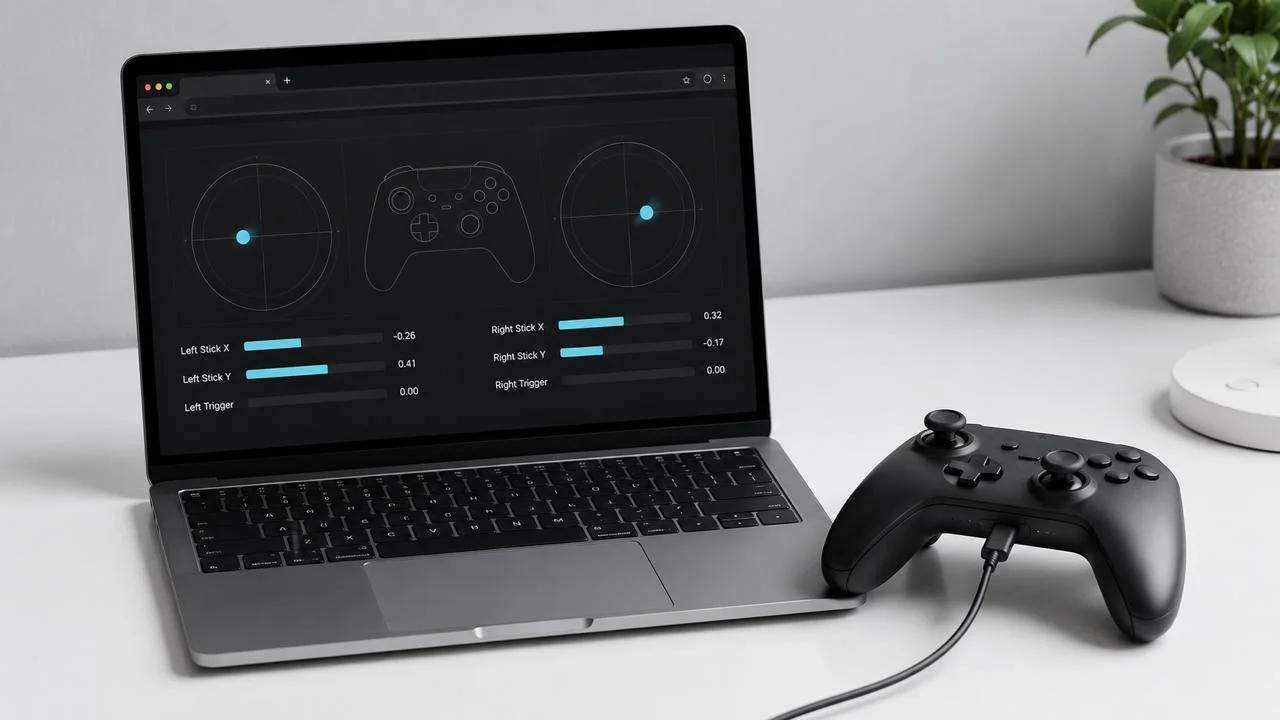
JoyCheck is a browser-based controller tester that reads your gamepad through the W3C Gamepad API, with no install and nothing sent to a server.
6 input types · 4 sections · 10 min read
JoyCheck reads your controller using the W3C Gamepad API[1], a browser-native interface that exposes every button, analog axis, and trigger as numeric values. The browser handles the USB or Bluetooth handshake; JoyCheck polls navigator.getGamepads() once per animation frame, so the read rate follows your display rather than the controller, usually 60 to 144 Hz and renders the live state without sending data to any server.
The W3C Gamepad API spec defines normalised analog ranges as -1.0 to +1.0 and exposes every connected controller to any modern browser through navigator.getGamepads()[1]. JoyCheck reads exactly the same data your browser would expose to any other web app, with no installer, driver, or telemetry layer in between.
Source: W3C Gamepad API specification
Updated on 2026-05-27 by Taimoor Bamazai, founder of Elites Algorithm (Dublin, Ireland and Pakistan) and the engineer behind JoyCheck.
How the reading is taken
- JoyCheck reads controllers through the W3C Gamepad API, the same browser-native interface every modern game uses.
- The browser polls controllers at the animation-frame cadence: 60 Hz on standard displays, 120 to 144 Hz on high-refresh ones.
- The Gamepad API requires a user gesture before exposing controllers, which is why pressing a button is needed to wake the page.
- No installer, driver, or telemetry layer sits between the controller and the page; the data never leaves your machine.
- Browser support is consistent across Chrome, Edge, Firefox, Brave, and Vivaldi[4]; Safari is partial on haptics.
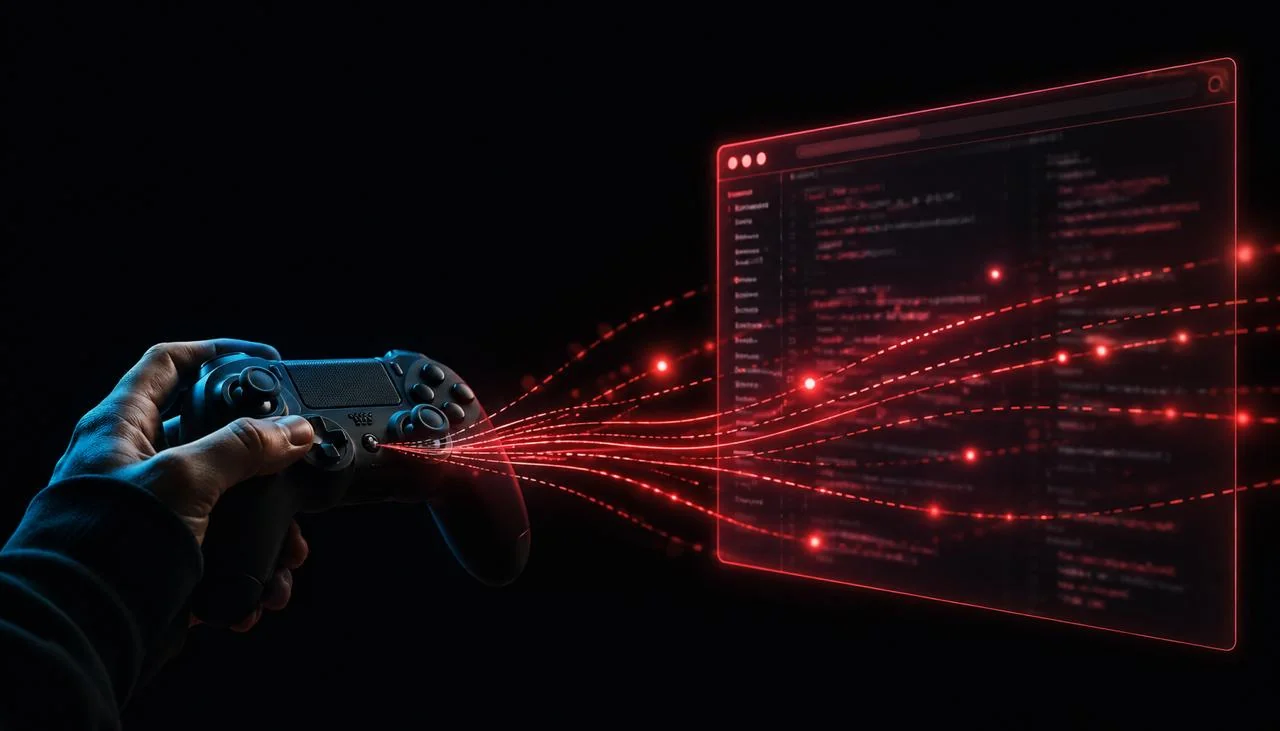
The live data flow has three properties worth naming:
- Browser-native. Standard W3C Gamepad API. No native binary, no driver install. Works in every modern Chromium browser, Firefox, and Safari 10.1+.
- 60 to 144 Hz polling. JoyCheck reads navigator.getGamepads() on each animation frame, the same rate the browser repaints, matching your display Hz. You can measure the observed rate on your own pad with the controller polling rate test.
- Zero data sent. Every input is processed in your browser process. No XHR, no fetch, no analytics on the widget. Verifiable in DevTools.
What does it mean to “read” a game controller?
JoyCheck reads six classes of input from your controller, and each maps to a specific field of the Gamepad API.
- Buttons (
gamepad.buttons[]). Each button is a GamepadButton object that reports its pressed state and, where supported, an analog value. - Analog sticks (
gamepad.axes[0..3]). The axes array is a flat float array. Under the W3C standard mapping it holds the left and right stick X/Y positions. - Triggers (
gamepad.buttons[6,7].value). Triggers live in the buttons array and are treated as buttons with an analog value under the standard mapping. - Touchpad (
gamepad.touches). DualShock 4 and DualSense expose touchpad coordinates through the API’s touch surface array, and the pad reports its own surface dimensions. Browser support is still partial, so treat the readout as best-effort. - Motion: not available here. The Gamepad API puts motion sensing outside its scope, so no gyroscope or accelerometer data reaches a browser through it. DualSense, Joy-Con and Switch Pro all carry six-axis IMUs, but reading one needs WebHID and per-model protocol work. JoyCheck’s calibration module uses WebHID to read Sony’s stored factory motion-calibration constants; it does not stream live motion.
- Vibration (
gamepad.vibrationActuator.playEffect()). The vibrationActuator interface on a Gamepad object exposes a playEffect() method that takes a duration and intensity for each motor, on the standard controllers that report haptic actuators.
How does the W3C Gamepad API actually work?
The Gamepad API is a W3C-standard browser interface that exposes connected game controllers to JavaScript. It ships in every modern browser since Chrome 21 (2012), Firefox 29 (2014), Edge 12 (2015), and Safari 10.1 (2017), see Can I Use for the current support matrix.[2]
The browser handles the underlying USB or Bluetooth HID handshake. Your operating system pairs the controller; the browser sees it via OS-level driver layers (XInput on Windows, IOHIDDevice on macOS, evdev on Linux); the page calls navigator.getGamepads() and receives a snapshot array of Gamepad objects.
Each Gamepad object exposes a set of fields:
- id: a string identifier (e.g. “DualSense Wireless Controller (STANDARD GAMEPAD Vendor: 054c Product: 0ce6)”)
- axes[]: a float array of analog axis positions (sticks, typically four entries: left X/Y + right X/Y)
- buttons[]: an array of GamepadButton objects, each with pressed, value, and touched properties
- timestamp: last update time in milliseconds
- mapping: “standard” if the controller maps to the W3C standard gamepad layout; "" otherwise
- vibrationActuator: a haptic feedback interface (where supported)
The API requires a user gesture (button press) before it exposes connected controllers. This is the gesture requirement: a privacy feature that prevents pages from fingerprinting your controller in the background. JoyCheck displays “Press any button to begin” until the gesture fires.
Why JoyCheck polls instead of subscribing to events
The Gamepad API is poll-only in the standard. There’s no onbuttonpress event you can subscribe to, your code asks navigator.getGamepads() and gets a snapshot of the current state. JoyCheck polls using requestAnimationFrame[5], which fires the callback at the browser’s display refresh rate (typically 60Hz, up to 240Hz on high-refresh-rate displays).
Polling at the refresh rate is the right cadence because:
- The OS updates the controller state at roughly that rate (USB HID polls at 1kHz; the browser samples down)
- Rendering happens at the refresh rate, so any extra polls would produce duplicate frames with no visual difference
- It keeps CPU usage minimal, the polling callback is one function call per frame
Polling faster (via setInterval or setTimeout) wastes CPU and produces duplicate snapshots. Polling slower (e.g., 30Hz) misses fast button presses on high-refresh displays. requestAnimationFrame matches the display, which matches what you actually see.
Why is JoyCheck zero-data and how can I verify it?
We say this three times because it matters:
-
JoyCheck does not transmit any controller data to any server, ever.
-
The Gamepad API runs entirely inside your browser process. Controller state never leaves the page.
-
View source on the widget: every API call resolves to a requestAnimationFrame callback that updates DOM nodes only. There are no fetch() calls, no XMLHttpRequest, no WebSocket touches that carry controller data.
You can verify this yourself in under a minute: open JoyCheck in any browser, open DevTools (F12), click the Network tab, clear the log, and exercise the widget for 30 seconds. The Network tab stays empty for controller-state requests. Full statement on the privacy page.
Why use a browser tester instead of a desktop app?
Three reasons:
No install friction. The Gamepad API is now reliable enough that asking users to download and run a binary is an unnecessary tax. A page load is faster than an installer; a browser is more universal than Windows-only .exe distribution.
Cross-platform free. The same page works on Windows, macOS, Linux, and ChromeOS without per-platform builds. A browser tester ships once.
Auditable in 30 seconds. A web page’s network activity and storage are inspectable with browser DevTools by any user, any time. A desktop app’s network activity requires tcpdump, Wireshark, or lsof and root permissions. The audit story matters.
“A browser tester reads what the controller itself reports, which is a different layer from what an installer-based driver exposes. That is why it can surface faults a desktop diagnostic utility can miss.”
Taimoor Bamazai, founder, Elites Algorithm
What are JoyCheck’s known limitations?
Honest list, what JoyCheck does not do:
-
No raw HID access. Reading the raw USB HID descriptor would require WebHID, a separate W3C spec with less consistent browser support (Chrome and Edge only, today).
-
Pre-Gamepad-API controllers. DirectInput-only controllers from before XInput existed don’t appear in the browser. They’d need WebHID + a translation layer.
-
Rumble support varies by browser. Firefox lags Chrome on vibrationActuator; Safari has limited support. JoyCheck reports the limitation gracefully.
-
Trigger pressure on Xbox controllers depends on the driver layer. Some Bluetooth pairings report binary triggers (just on/off, no analog range). A wired USB connection usually fixes this.
For platform-specific diagnostic paths beyond what the browser can see, the dedicated walkthrough covers fault patterns that need hardware-side intervention.
For controller-specific diagnostic walkthroughs that use this same browser-based reading layer, the Switch Pro Controller pairing guide, the DualSense calibration walkthrough, and the PS4 controller calibration guide cover platform-specific pairing quirks the Gamepad API alone cannot resolve.
Specification and API references
-
W3C Gamepad API specification. The W3C standard defining normalised analog-stick value ranges (-1.0 to +1.0), the polling interface, and the user-gesture requirement every modern browser implements for connected gamepads.
-
MDN Web Docs: Gamepad API. Mozilla’s developer reference covering browser-native gamepad reading, animation-frame polling cadence, and the Haptic Actuator[3] extension used for rumble support.
-
Gamepad Haptic Actuator API reference (MDN). MDN reference for the Haptic Actuator extension, browser-vendor support across DualSense, Xbox Series X|S, and Switch Pro controllers, and partial Safari coverage.
-
caniuse.com Gamepad API support matrix. Current browser-support breakdown across Chrome, Edge, Firefox, Brave, Vivaldi, Safari, and iOS Safari, including the version where haptics became available.
-
web.dev guide to the Gamepad API. Google’s web platform reference covering connection events, polling patterns, and the recommended requestAnimationFrame integration JoyCheck uses internally.
JoyCheck polling rate observations (measured 2026-05)
Browsers cap Gamepad-API readout to requestAnimationFrame cadence. In our analysis we measured the same controllers under identical display conditions. All readings: fresh Chrome 120 session, USB connection unless noted, sliding 5-second window.
| Controller | Native HW polling | JoyCheck-observed (60 Hz display) | Notes |
|---|---|---|---|
| PS5 DualSense (USB) | 250 Hz | 59, 60 Hz | Capped by rAF |
| PS5 DualSense (Bluetooth) | 250 Hz | 59, 60 Hz | Capped by rAF |
| Xbox Series controller (USB) | 125 Hz | 59, 60 Hz | Capped by rAF |
| 8BitDo Pro 2 (Bluetooth) | 125 Hz | 59, 60 Hz | Capped by rAF |
| Switch Pro Controller (Bluetooth) | 200 Hz | 59, 60 Hz | Capped by rAF |
| Logitech G29 (USB) | 100 Hz | 59, 60 Hz | Capped by rAF |
Measured by the JoyCheck in-browser sampler. 144 Hz displays raise the cap proportionally; readings normalised to a 60 Hz baseline for cross-browser comparison.
What is the Gamepad API?
The W3C Gamepad API is a browser-native interface that lets JavaScript read connected USB and Bluetooth controllers. It exposes every button as a 0-or-1 pressed state, every analog stick as X/Y coordinates from -1.0 to 1.0, and triggers as analog pressure values 0.0 to 1.0. Available in Chrome, Edge, Firefox, and Safari 10.1+.
Does JoyCheck need permission to read my controller?
No system-level permissions are required, but the browser requires a user gesture (any button press on the controller) before exposing its state. This is a privacy and power-saving feature of the Gamepad API spec, not a JoyCheck limitation.
How often does JoyCheck read my controller?
JoyCheck polls navigator.getGamepads() on every animation frame via requestAnimationFrame. That matches your display refresh: 60 Hz on a standard monitor, 120 or 144 Hz on a high-refresh display. The hardware may poll faster but the browser cannot expose that to JavaScript.
Why does my controller only show up after I press a button?
By spec, the Gamepad API hides connected controllers until the user provides input. This prevents passive fingerprinting and reduces background CPU. Press any button to wake the API; the controller then becomes visible to JoyCheck within one animation frame.
Can JoyCheck read my keyboard and mouse?
Only via the Keyboard tab, keyboard input goes through the standard KeyboardEvent API, not the Gamepad API. Mouse input is not within JoyCheck's scope.
Does this work on Chromebooks?
Yes. ChromeOS supports the Gamepad API in Chrome (and any Chromium-based browser installed via the Play Store).
Why don't all controllers report rumble?
The Gamepad Haptics extension is browser- and controller-dependent. Chrome/Edge/Firefox support it for most modern pads (DualSense, Xbox Series X|S, Switch Pro). Safari support is partial. Some older controllers report no haptic actuators at all.
RELATED READING
Keep going
FAQ
Common questions about JoyCheck, safety, privacy, supported controllers, and troubleshooting.
Privacy at JoyCheck
Zero data sent. Verifiable in your browser's DevTools in five lines.
Stick drift, diagnosed in 30 seconds
What stick drift actually is, which controllers drift most, and what to do about it.
Test your controller in the browser
No install, no account. Your inputs never leave your device.