Key fact: Logitech G HUB is the current first-party path for G29, G920, and G923 firmware updates and wheel calibration on Windows 10 and 11; the older Logitech Gaming Software was deprecated in 2023. TRUEFORCE feedback on G923 requires explicit per-game integration, otherwise the wheel falls back to standard force feedback.
Why Logitech wheels misbehave
Six common issues:
- G HUB not installed. Without G HUB (or older Logitech Gaming Software), force feedback is disabled and the wheel runs in basic-HID mode only. Most games still detect it as a wheel but FFB strength is fixed at 0%.
- Wheel never calibrated. Power-cycle the wheel, it should auto-calibrate by sweeping. If it doesn't sweep, force feedback hardware may have failed.
- Pedals reading wrong. The pedal unit plugs into the wheel base. A loose RJ-11 cable causes throttle/brake to register randomly.
- Game using DirectInput instead of XInput. Older racing games (pre-2020) use DirectInput, where the wheel exposes its full feature set. Newer games default to XInput, which strips force-feedback granularity.
- Wrong wheel mode. G29 has 3 modes (PS5/PS4/PC, PS3, Xbox). Mode is set by the small switch on the back. Wrong mode = wheel won't initialize.
- Cable damage. The USB cable that ships with G29 has a known weakness near the wheel base. Replacement cables are available from Logitech support.
What to do when the wheel doesn't work
Four options, ordered by cost. Stop at the first one that works.
This fixes 80% of "wheel not detected" reports.
The wheel self-calibrates on power-up, but only if everything is connected correctly.
For pre-2020 racing games that don't see the wheel via XInput:
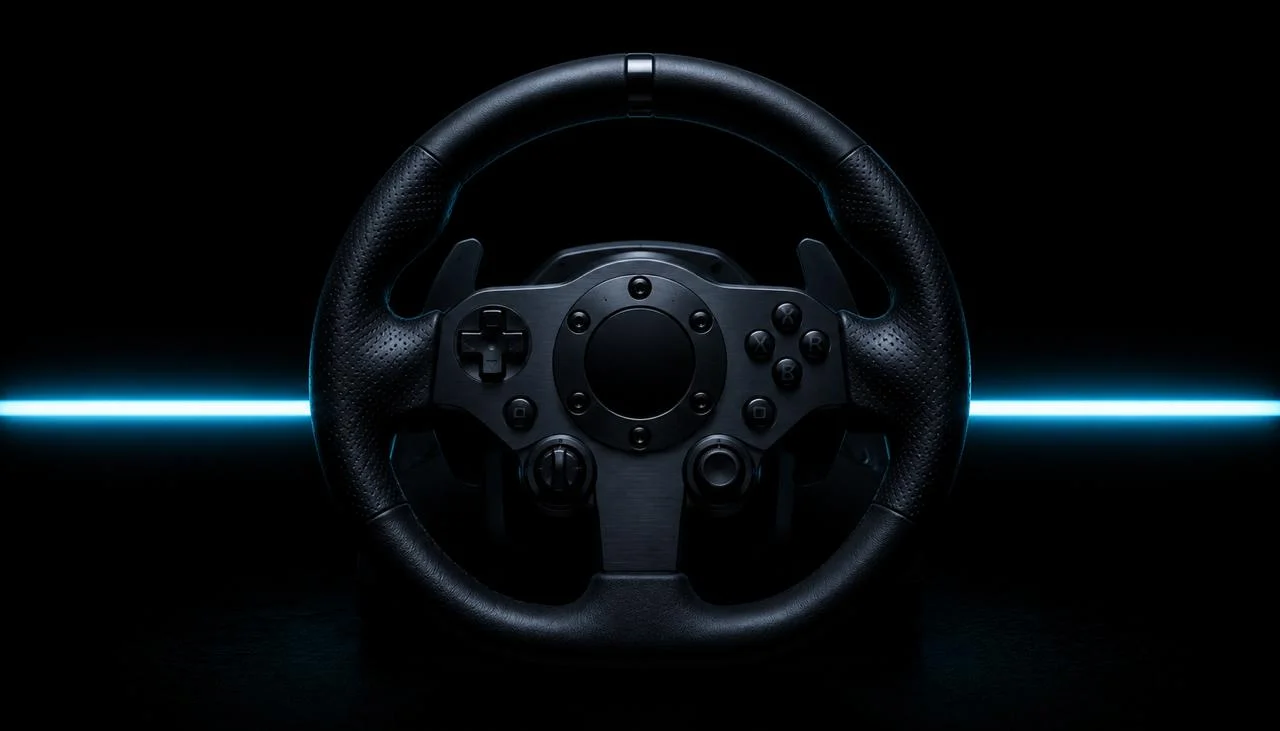
If the wheel works intermittently or the pedals randomly read 100% input:
Which platforms support each Logitech wheel?
Windows. Full support via G HUB. All wheels and pedals work; force feedback works in games that support it. Some games (iRacing, Assetto Corsa Competizione) require additional in-game setup for FFB strength and rotation.
macOS. G HUB for Mac exists but is limited compared to Windows. Force feedback works in some Mac-native sims (most Steam Mac racing games). Force-feedback granularity is reduced.
Linux. No official Logitech driver. Community drivers exist (new-lg4ff kernel module) for G29/G27/G25. Force feedback works in supported games via SDL2. Setup is more involved than Windows, expect 30-60 minutes if you're new to it.
Consoles. G29/G923 work natively on PS4 and PS5 (G29) or PS5 only (G923 PS edition). G920/G923 work on Xbox One/Series. Force feedback works in compatible games, no PC software needed.
Browser. All modern browsers expose the wheel via the W3C Gamepad API. JoyCheck reads input only, no force feedback support in any browser (Gamepad API doesn't expose haptics for wheels).
Which games and platforms is your wheel compatible with?
| Model | Windows | macOS | Linux | PS5 | PS4 | Xbox | Browser |
|---|---|---|---|---|---|---|---|
| G29 | ✓ G HUB | partial | community | ✓ | ✓ | ✗ | input only |
| G920 | ✓ G HUB | partial | community | ✗ | ✗ | ✓ | input only |
| G923 (PS edition) | ✓ G HUB | partial | community | ✓ | ✓ | ✗ | input only |
| G923 (Xbox edition) | ✓ G HUB | partial | community | ✗ | ✗ | ✓ | input only |
| G27 (discontinued) | ✓ legacy LGS | ✗ | community | ✗ | ✗ | ✗ | input only |
| Driving Force Shifter | ✓ via wheel | ✓ via wheel | ✓ via wheel | ✓ | ✓ | ✓ | via wheel |
When to RMA
After all four tiers, if the wheel still doesn't initialize, calibrate, or hold force feedback steady:
- The motor housing makes grinding or clicking sounds during calibration
- Force feedback fires randomly when the wheel is idle
- One pedal is fully unresponsive (you'll see this in JoyCheck, that axis stays at 0.0)
…contact Logitech G support for warranty service. Standard warranty is 2 years on G29/G920/G923; some EU regions extend to 3 years under consumer law.
For DIY repair, replacement parts (encoder boards, motor assemblies, pedal sensors) are available from sim-racing forums and eBay, but quality varies. Stick to official Logitech support unless you're comfortable with electronics work.
How do I confirm the wheel works in 30 seconds?
After every fix, run a full wheel test in JoyCheck:
- Open joycheck.io in any modern browser.
- Rotate the wheel from full left to full right, the X-axis should sweep smoothly from -1.0 to +1.0.
- Press throttle, brake, and clutch one at a time, each pedal axis should go 0.0 → 1.0 cleanly.
- Press the wheel buttons (most G29/G920/G923 wheels have 9-12 buttons + D-pad).
- Engage the shifter (if equipped), each gear should register as a button press.
If everything responds, you're done. If FFB is silent in JoyCheck, that's expected, the browser doesn't expose haptics. Test FFB in your actual racing game.
Workshop notes by Taimoor Bamazai at Elites Algorithm. Published 21 May 2026. Bug reports and corrections: support@joycheck.io. More notes from the workshop: /blog.
Frequently asked questions about Logitech racing wheels
Do I need G HUB to use the wheel?
For basic input on Windows, no. The wheel reports as a generic gamepad without G HUB. For force feedback, button mapping, and rotation-degree settings, yes, G HUB is required. G HUB is free and lightweight.
Does the G29 work on Xbox?
No, G29 is PlayStation/PC only. The Xbox-compatible equivalent is the G920 (or the G923 in its Xbox edition). The mode switch on the back of the G29 cannot enable Xbox compatibility, it's hardware-locked to PS5/PS4/PS3/PC.
Does the G923 work better than the G29?
G923 adds TRUEFORCE feedback in supported games, higher-fidelity FFB driven by audio data, not just road forces. In non-TRUEFORCE games (the majority), the G923 feels similar to the G29 with slightly tighter centering springs.
Does the wheel work with Steam Deck?
Yes via USB. Force feedback works in Steam games via Steam Input. The Steam Deck doesn't have G HUB, so configuration is per-game in Big Picture mode.
Can I use the wheel on Mac?
Partially. G HUB for Mac exists but force feedback is limited. Most Mac-native racing games (Forza Horizon doesn't exist for Mac, but iRacing Mac native, Assetto Corsa via CrossOver) work with reduced FFB precision.
Why does the wheel feel notchy at center?
The G29 and G920 use gear-driven force feedback (not belt-driven like the G923 and high-end Fanatec/Moza wheels). The "notch" at center is the gear mesh. Some users sand or grease the gears for smoother feel, but this voids warranty.
My pedal is registering inputs at rest in JoyCheck, what's wrong?
Pedal sensor calibration drift, or a stuck spring. Power-cycle the wheel + pedals (which triggers re-calibration). If the rest reading is still non-zero, the pedal pot is worn, replacement parts available from Logitech support.
Can I update the wheel's firmware?
Yes, G HUB checks for firmware updates automatically. If an update is available, G HUB prompts you with a one-click install. Firmware updates are rare for the G29/G920/G923 since they're mature products.