Key fact: "Generic HID" is a USB device class (0x03) descriptor: the system sees a Joystick/Gamepad usage page but has no vendor-specific Xinput driver, so most modern AAA Xinput-only games will not detect the controller without a translation shim like Steam Input, DS4Windows, or x360ce.
What "Generic HID" actually means
USB HID (Human Interface Device) is a standard that describes how input devices report their state, keyboards, mice, gamepads, joysticks, tablets, even some medical devices use it. Every HID device has a vendor ID (assigned by USB-IF) and a product ID (chosen by the vendor). Operating systems and browsers match this pair against a database of known devices to apply the right driver and layout.
When the OS doesn't recognize the pair, it falls back to the generic HID class. The device still works, buttons fire, axes report, but everything is in raw numbered form: "button 0", "axis 1", instead of "A button" or "left stick X".
Why this matters: Games rely on the device name to apply the right button layout. A game that hardcodes "Xbox A button" can't map a button on a generic HID device unless you remap it manually.
Four common reasons a controller reports as generic HID:
- Off-brand / no-name controller. Cheap controllers ($10-20 from Amazon or AliExpress) often use a generic chipset that the OS doesn't recognize. Inputs work; layout doesn't.
- Controller in D-Input mode. Many controllers (8BitDo, Hori, GameSir) have multiple modes, Switch, Xbox, D-Input. D-Input mode reports as generic HID. Switching modes (Start + X for 8BitDo, etc.) puts it in Xbox or Switch mode for proper layout recognition.
- Controller firmware too old. Pre-2020 firmware on some 3rd-party controllers used vendor IDs that newer OSes don't recognize. Firmware update fixes this.
- Custom or arcade controllers. Fight sticks, dance pads, racing wheels, and homemade controllers often run on generic HID, the controller works, but it isn't an "Xbox" or "PlayStation" device.
What to do about Generic HID
Four options, ordered by cost. Stop at the first one that works.
Before fixing anything, confirm what you've actually got.
For games that support custom button mapping:
If a Windows game won't let you map buttons, or if it specifically requires XInput (older racing games, Dark Souls 1, many emulators):
After Tier 1-3, if your game still can't use the controller cleanly, the simplest fix is a controller that's natively recognized.
How does Generic HID behave on each platform?
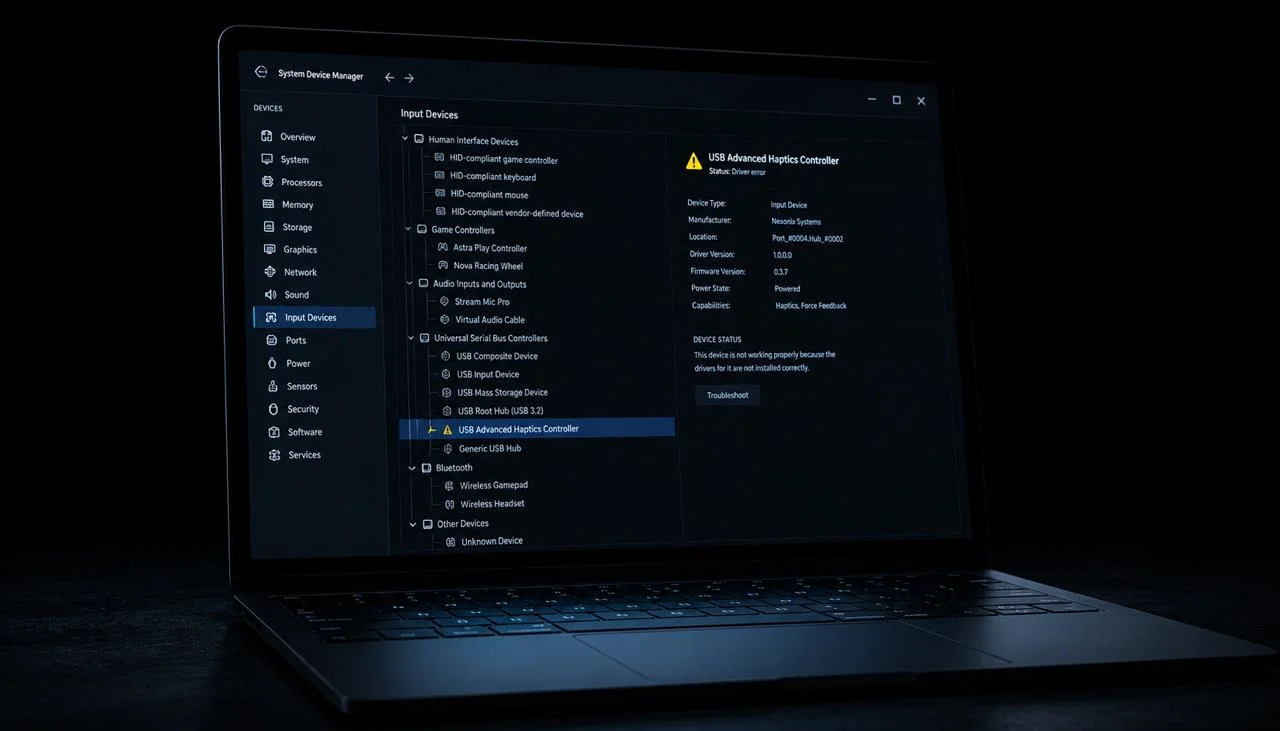
Windows. Without a vendor-specific driver, generic HID devices appear in Device Manager as "USB HID-compliant game controller". You can rename them via Control Panel → "Set up USB game controllers" but the actual driver doesn't change. Use x360ce or Steam Input to wrap them in XInput.
macOS. macOS has a built-in Game Controllers framework that recognizes Xbox, DualSense, and Switch Pro by vendor/product ID. Generic HID devices show up but with limited functionality, no native rumble, no haptics. Use Joystick Mapper or similar for HID-to-keyboard mapping.
Linux. Modern kernels treat generic HID devices via the hid-generic driver. The evdev and SDL2 interfaces expose the inputs to games. Use antimicrox for visual remap to keyboard/mouse.
Browser. The W3C Gamepad API reports the controller in a "standard mapping" or "no mapping" mode. Generic HID devices usually fall into "no mapping", the browser reports buttons by raw index. JoyCheck displays this as numbered buttons and axes.
Which gamepad patterns are common in HID mode?
| Pattern | Buttons | Axes | Likely device |
|---|---|---|---|
| 0-3 face + 4-5 shoulder + 6-9 directional | 10+ | 2-4 | Generic Xbox-style gamepad |
| 0-5 face + 6-9 special | 10 | 2 | NES/SNES-style arcade pad |
| 0-1 + 4-axis joystick | 2 | 4 | Joystick / flight stick |
| 2 buttons + 1 axis | 2-3 | 1-2 | Old-school racing pedal |
| 16+ buttons + dpad | 16+ | 4-6 | Fight stick / arcade panel |
| Single rotational axis | 0-2 | 1 | Steering wheel without buttons |
When to abandon the HID device
Generic HID is fine for hobby use, retro emulation, and games with remap menus. But if you're getting into serious play (competitive shooter, racing sim, fighting games), the time spent remapping per-game starts to outweigh the cost savings of a no-name controller.
Signs to upgrade:
- You spend more than 5 minutes per game configuring inputs.
- Some games refuse to detect the controller no matter what you do.
- Latency is noticeably worse than friends' controllers in the same game.
- The controller's input layout breaks in new games (game expects XInput, device only reports HID).
A modern XInput controller eliminates all of this for $30-70. See "Replace with a supported controller" above.
How do I confirm HID detection works?
After every fix, run a full HID test in JoyCheck:
- Open joycheck.io in any modern browser.
- Press each button on the controller in sequence, note which button ID JoyCheck reports for each.
- Move both sticks (if equipped), check that axes 0/1 and 2/3 respond.
- Try D-pad, confirm it's either separate buttons (good) or a single hat axis (use x360ce to convert).
- Confirm the controller is in the right mode if it supports multiple (Xbox mode for PC gaming, Switch mode for Switch console).
If every input registers cleanly, you're ready to map it in-game or wrap it with XInput.
Run the full controller test now →
Workshop notes by Taimoor Bamazai at Elites Algorithm. Published 21 May 2026. Bug reports and corrections: support@joycheck.io. More notes from the workshop: /blog.
Frequently asked questions about Generic HID controllers
What does "Generic HID" mean?
Generic HID is the fallback class for USB Human Interface Devices that the OS doesn't recognize by vendor/product ID. The device works, inputs fire, but games can't auto-apply a button layout without you doing it manually.
Is a Generic HID controller broken?
No. The hardware works fine. The OS just doesn't have a profile for the specific make and model. Inputs are exposed correctly in JoyCheck and any app that reads raw HID.
How do I make my controller stop showing as Generic HID?
Three paths: (1) check for a mode-switch button combo (8BitDo, Hori, GameSir all have these, Start + X usually enables Xbox mode); (2) update controller firmware via the manufacturer's Windows updater; (3) replace with a controller that has native vendor recognition (Xbox Wireless Controller, DualSense, Switch Pro).
Can I use a Generic HID controller in Steam games?
Yes. Steam → Settings → Controller → enable "Generic Gamepad Configuration". Steam Input wraps the HID device and exposes it to every Steam game as a clean XInput controller. Configure the mapping once in Big Picture mode.
Does Generic HID mean my controller has higher latency?
Sometimes, but not always. Latency depends on the HID polling rate (typically 125 Hz, sometimes 250 Hz or 1000 Hz on premium controllers) and the wireless protocol if applicable (Bluetooth Classic vs BLE vs proprietary 2.4 GHz). HID class itself doesn't add latency, only the specific implementation does.
Can I add my controller to the OS's known-device list manually?
On Linux, yes, edit /usr/share/X11/xkb/symbols/inet or use udev rules to assign a name. On Windows and macOS, no, the OS controls this and doesn't expose a way to add devices to the recognition database from user space.
Why does my controller show as "Xbox" on one PC and "Generic HID" on another?
Different OS versions, different driver databases. Windows 11 ships a larger HID database than Windows 10. Linux distros differ by kernel version. If recognition matters, update the OS or install the manufacturer's official driver.
JoyCheck shows wrong button labels, is the controller broken?
No. JoyCheck shows the raw HID button ID (button 0, button 1, etc.). Those IDs are the controller's choice, not a labeling bug in JoyCheck. Press each button on the controller and note which ID lights up. Then map those IDs to your game's action menu.