PS4 Controller Repair: Fix a Broken DualShock 4 Before Buying Parts
PS4 controller repair means fixing a specific worn part inside a DualShock 4, the stick module, a trigger, a rubber contact pad, a cable, or the battery, instead of replacing the whole controller.
PS4 controller repair, decided by what is actually broken. Diagnose the fault in 30 seconds, then choose repair or replace by part and cost.
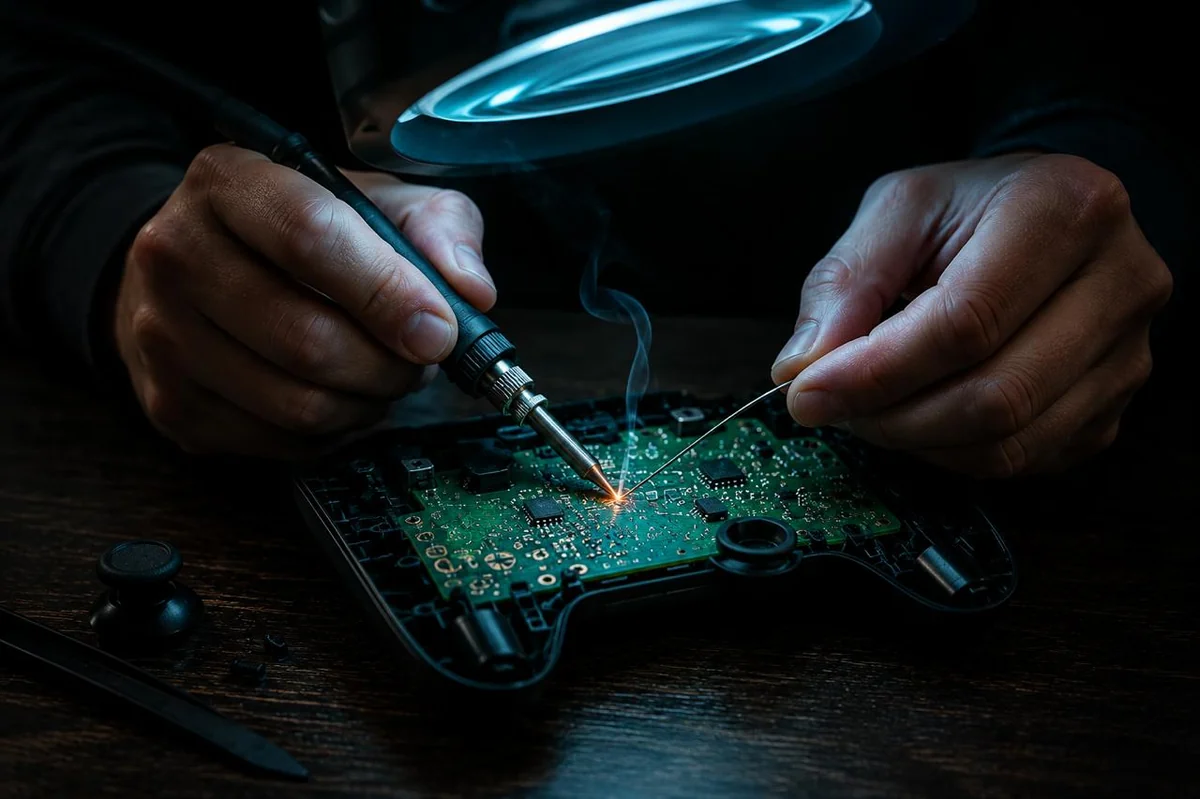
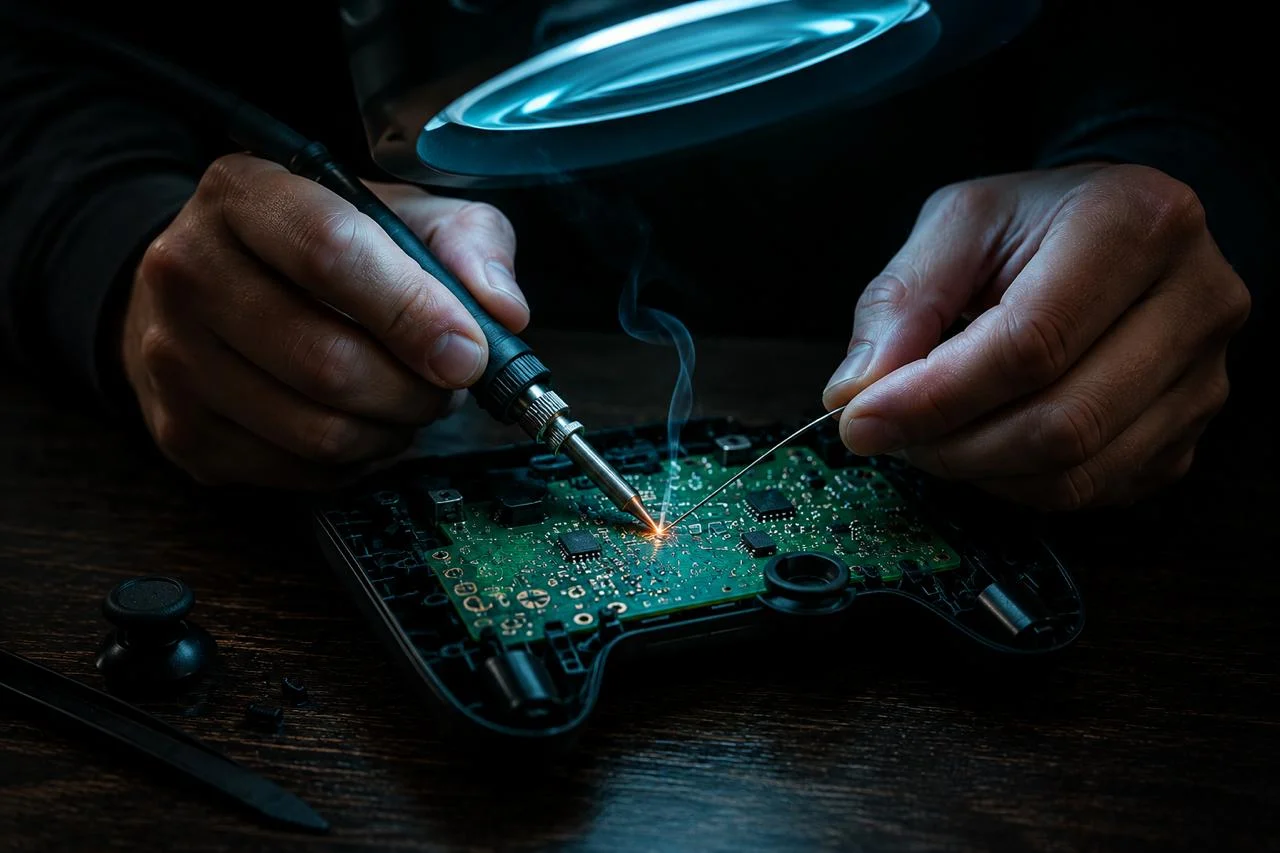
PS4 controller repair means fixing a specific worn part inside a DualShock 4, the stick module, a trigger, a rubber contact pad, a cable, or the battery, instead of replacing the whole controller. Most faults are one part, not the pad.
The mistake almost everyone makes is buying parts before they know what is broken. A two-minute test settles it. Rest the controller flat in the PS4 controller test and watch what the hardware actually reports, then decide repair or replace from the fault, not a guess.
Diagnose before you buy parts
- A DualShock 4 fault is usually one worn part: a stick module, an L2 or R2 trigger, a rubber contact pad, a flex cable, or the LIP1522 battery.
- Diagnose before you buy. A browser tester reads the Gamepad API and confirms stick drift, dead buttons, trigger range loss, and a stuck D-pad in about 30 seconds.
- Be honest about the limits: the Gamepad API cannot see battery health, rumble-motor wear, or internal water damage, so those need a hands-on check.
- Match the part to the symptom: drift is the analog module, a mushy trigger is usually a spring, an unresponsive button is a worn conductive pad.
- Repair pays off for a single cheap fault if you own the tools; several faults at once, water damage, or a cracked board point to a refurbished replacement instead.
The DualShock 4 is a serviceable controller. iFixit publishes a full teardown and joystick-replacement guide for the pad, documenting the disassembly order, the tri-point screws, the ribbon cables, and the seated analog stick modules. The drift-prone stick on the DualShock 4 is an ALPS-type potentiometer module, the same carbon-track design whose wear causes analog drift across the controller industry.
Source: iFixit, Sony DualShock 4 controller teardown and joystick replacement guides
Find the faulty part in 30 seconds
- Open JoyCheck or any browser-based gamepad tester in Chrome, Edge, or Firefox.
- Connect the DualShock 4 over a USB cable, or pair it over Bluetooth, then press any face button to wake the Gamepad API.
- For drift: set the controller flat on a table, hands off both sticks, and watch the analog X and Y values. They should read near zero.
- For buttons: press every face button, the D-pad, L1 and R1, and click the touchpad. Each should light its on-screen indicator once and release cleanly.
- For triggers: pull L2 and R2 slowly to the stop. The pressure bar should travel from 0 to full and back. A bar that never reaches full is a worn trigger.
What breaks most often on a PS4 controller?
The most common DualShock 4 failures are, in rough order, analog stick drift, sticky or unresponsive face buttons, worn L2 and R2 triggers, a battery that no longer holds charge, and a frayed or unseated ribbon cable. Each one maps to a specific part, and each part has a different repair cost and difficulty.
The reason this matters is that the symptoms overlap in how they feel but not in what they need. A controller that “feels off” could be drift, a dead button, or a trigger that lost its range, and those are three different parts. Here is the symptom-to-part map.
| Symptom you notice | Likely DualShock 4 part | Can a browser tester confirm it? | Repair difficulty |
|---|---|---|---|
| Camera or character moves on its own | Analog stick module (ALPS potentiometer) | Yes, at-rest stick value is non-zero | Soldering |
| A button does nothing or needs hard presses | Conductive rubber contact pad | Yes, the button indicator does not light | No solder, clip-in |
| L2 or R2 feels mushy, stuck, or weak | Trigger spring or trigger sensor | Yes, the trigger pressure bar misbehaves | Low, some solder for the sensor |
| D-pad sticks in one direction | D-pad rubber pad or membrane | Yes, the direction stays lit | No solder, clip-in |
| Touchpad click does not register | Touchpad assembly | Yes, the touchpad button does not fire | Connector swap |
| Controller dies after a short session | LIP1522 battery pack | No, the API cannot read battery health | No solder, connector swap |
| Weak or no rumble | Rumble motor | No, the API cannot read rumble | Connector or solder |
| Erratic after a spill | Internal water or corrosion damage | No, requires visual inspection | Variable, often beyond repair |
Notice the right two columns. Five of these faults are electrical and a browser tester sees them directly. Three of them, battery, rumble, and water damage, are invisible to the Gamepad API, so they need your eyes and hands. That split is the whole reason a diagnose-first approach saves money. For the drift case specifically, the stick drift explainer breaks the at-rest reading into numeric bands that decide fix versus replace.
How do I know whether to repair or replace it?
Repair when the controller has a single, well-understood, inexpensive fault and you own or are willing to buy the tools. Replace when it has several faults at once, physical damage to the board, or water ingress, because each of those multiplies the time and parts cost past the price of a refurbished pad.
Run the decision in this order. First, diagnose the exact fault with a browser test plus a quick hands-on check for the three things the test cannot see. Second, count the faults. One fault is a repair candidate. Two or more, especially across different subsystems, tilts toward replacement. Third, price the part against your time and against a refurbished controller.
The honest version of this math is about your tools and your hourly rate, not just the sticker price of a part. A stick module costs a few dollars, but it needs soldering, so the first repair also buys an iron and the half hour to learn the joint. If you already solder, that cost is gone and repair wins easily. If you have never soldered and the controller has one dead button, a clip-in rubber pad is a fine first repair, but a drift fix may not be worth the tool investment for a single pad.
One more honest line: a DualShock 4 only plays PS4 and PC games. It cannot run PS5-native titles. If you have moved to PS5, repairing an old DualShock 4 only makes sense for backward-compatible PS4 games and PC use, and the DualSense troubleshooting guide is the right starting point for the newer pad.
Why diagnose in a browser before buying parts?
Because the W3C Gamepad API reads the controller’s real input, so you confirm the fault instead of guessing it. The browser polls the pad many times a second and exposes the same raw stick positions, button states, and trigger pressures the controller sends to a console or PC. There is no install, no driver, and the input never leaves your machine. [1]
That makes the test deterministic and free. You see exactly which stick drifts, which button fails to fire, and whether a trigger still reaches full pressure, before you spend a cent on parts. A controller you can measure is a controller you can repair to a part. A controller you only guess about is one you over-buy for.
The candour that matters here is the boundary. A browser tester is excellent at the electrical faults and blind to the mechanical and chemical ones. Knowing which side of that line your symptom sits on is the first real step of any PS4 controller repair.
The W3C Gamepad API exposes analog-stick axes as normalized floats, individual button pressed and value states, and analog trigger values, to any modern browser, with no installed software. It does not expose battery state of health, rumble-actuator condition, or internal moisture, because those are outside the API surface. This is why a browser test confirms drift, dead buttons, and trigger-range loss, but cannot diagnose a tired battery or a failed rumble motor.
Source: W3C Gamepad API specification
What can a browser tester actually see, and what can it not?
A browser tester can see every fault that changes the controller’s digital or analog input signal, and it is blind to every fault that does not. That single sentence decides how you use it. Here is the split in plain terms.
What it can confirm:
- Stick drift and deadzone. A non-zero at-rest reading on a stick is drift. The live position also shows how wide a deadzone you would need to mask it. Read your own number against the bands on the deadzone tester.
- Dead or sticky buttons. Each face button, L1, R1, and the touchpad click registers as a discrete press. A button that never lights, or stays lit, is a contact fault.
- Trigger range on L2 and R2. The triggers report analog pressure from rest to full. A trigger that cannot reach full, or jumps, has a worn sensor or a spring problem.
- A stuck D-pad direction. Each D-pad direction is its own input. One that stays active points to a worn membrane.
What it cannot see, and why:
- Battery health. The LIP1522 pack can be tired or swollen and the controller still reports perfect input until it dies. The API has no battery-condition read.
- Rumble-motor wear. Rumble is an output the controller produces, not an input the browser receives, so a weak motor is invisible to a tester. You can still fire both motors from the browser and judge the response by feel with the controller vibration test. For how the two rumble motors behave, see the vibration reference.
- Internal water or corrosion damage. A spill can cause erratic behaviour that looks electrical, but the cause is physical and only an open-case inspection reveals it.
So the workflow is two-part: run the browser test to localise the electrical faults, then open the controller, or at least shake and listen, for the three the test cannot reach.
Which replacement parts does a DualShock 4 use?
A DualShock 4 is built from a handful of replaceable parts, and naming the right one is most of the repair. The common service parts are the analog stick modules, the trigger assemblies and springs, the conductive rubber pads, the ribbon and flex cables, the LIP1522 battery, and the touchpad. Sony shipped the controller across board revisions, broadly the early JDM-001/-011 generation and the later JDM-040, JDM-050, and JDM-055 generation, and some internal parts and connectors differ between them, so match the part to your board.
- Analog stick modules. The drift-prone part. The DualShock 4 uses an ALPS-type potentiometer module, sold per side for a few dollars. Replacement needs soldering. Drift-resistant Hall-effect and TMR modules exist and cost more but remove the wear path entirely, covered in the Hall-effect and TMR buying guide.
- L2 and R2 triggers and springs. The triggers have a small return spring and an analog sensor. A snapped spring makes the trigger mushy or stuck and is a cheap, no-solder fix. A worn sensor that no longer reaches full pressure needs the trigger assembly replaced.
- Conductive rubber pads. The soft pads under the face buttons and D-pad carry the contact that registers a press. They wear and harden, which is why a button starts needing hard presses. They clip in, no soldering.
- Ribbon and flex cables. The thin cables linking the touchpad, the battery board, and the front assembly can fray or unseat. Reseating a popped connector is free, and a torn cable is an inexpensive part.
- LIP1522 battery. The DualShock 4 ships a LIP1522 lithium-polymer pack, around 1000 mAh on the standard cell. A pack that no longer holds charge swaps in on a connector with no soldering. Replace a swollen pack promptly and dispose of it properly.
- Touchpad assembly. The clickable touchpad is its own module on a connector. If the click stops registering in a tester but the surface is intact, the assembly is the part.
The pattern across this list: sticks and trigger sensors are the soldering jobs, and almost everything else is a clip or a connector. That is good news for a first-time repairer, because the most common no-solder faults, a stiff button or a dead battery, are the easy ones.
What tools do I need to repair a PS4 controller?
You need a small, specific tool set, and most of it is a one-time purchase. The DualShock 4 opens with a few cross-head screws and uses internal connectors, so a precision screwdriver set, a plastic opening tool, and tweezers cover the no-solder repairs. Stick and trigger-sensor work adds a soldering iron.
The minimum kit is a Phillips precision screwdriver set, a plastic spudger or guitar pick to split the shell without scarring it, fine tweezers for cables and springs, and a small parts tray so you do not lose screws. For drift fixes and trigger-sensor swaps, add a temperature-controlled soldering iron, solder, and ideally a solder sucker or desoldering braid to lift the old module cleanly.
Two cautions from doing this more than once. Work slowly when splitting the shell, because the clips are easy to crack and a cracked shell is its own problem. And photograph each connector before you unplug it, so reassembly is a glance at your phone rather than a guess. iFixit’s DualShock 4 guides show the disassembly order and the screw locations. [2]
How do I fix PS4 controller stick drift specifically?
Stick drift is the signature DualShock 4 failure, and the fix depends entirely on the at-rest reading you measure. For the cross-platform version of this fix ladder, see the multi-platform stick drift fix guide. Confirm it first by resting the controller flat in a browser tester and reading the stick value with your thumb off it. A steady non-zero reading is mechanical drift, and the carbon track inside the ALPS potentiometer module has worn past where software can compensate.
Recalibration and a wider deadzone only mask early, light drift. They shift where the firmware thinks the centre is, or widen the dead band around it, but they cannot rebuild a worn carbon track. For the PS4 specifically, there is no in-OS calibration menu at all, so the software options live on a PC, covered in the PS4 controller calibration guide. The DualSense on PS5 has no in-OS calibration path either; the route that does write a calibration is detailed in the DualSense calibration guide, so do not apply PS4 steps to a PS5 pad.
When the reading says the module is worn, the durable fix is a hardware swap. You have two real choices. A like-for-like ALPS potentiometer module restores the controller cheaply but restarts the same wear clock. A Hall-effect or TMR module costs more but uses magnetic-field sensing with no friction track, so it does not drift the same way. If you are already opening the controller and soldering, the drift-resistant module is usually the better lifetime value, and the engineering trade-off between the two sensor types is laid out in the TMR versus Hall-effect buying guide.
The most expensive mistake is buying a stick module before reading the controller. A sticky trigger spring or a tired button can look like drift, and those parts cost less and need no iron. Spend the thirty seconds to measure first. The controller will tell you which part it needs if you let it.
Taimoor Bamazai, founder, Elites Algorithm
What is the official Sony repair route?
Sony provides controller support, repair, and replacement through its official PlayStation support channels, and the clearest case for using it is an in-warranty fault. If your DualShock 4 is still inside its warranty period and the fault is not accidental damage, start with Sony’s support flow rather than buying parts, because a warranty repair or replacement costs you nothing.
Out of warranty, the calculation changes. Paid manufacturer repair on an older controller is frequently priced close to the cost of a replacement pad, so most out-of-warranty owners either self-repair a single known part or buy a refurbished controller. Check Sony’s current support page for the exact warranty terms in your region and the repair request steps before you commit either way. [3]
The point is not that one route is always right. It is that the route depends on warranty status and the fault, and you can only weigh it once you have diagnosed the actual problem.
When is a PS4 controller beyond repair?
A DualShock 4 is effectively beyond economical repair when it has internal water and corrosion damage, a cracked or burnt board, or several independent faults at once. Each of these turns a single-part job into a multi-part rebuild, and the combined parts and time cost overtakes a refurbished controller.
Water damage is the clearest write-off. A spill leaves corrosion across the board that spreads after the visible drying, so a controller that works for a day post-spill can fail unpredictably later, and chasing it part by part rarely ends well. A cracked shell with a damaged board, or scorching near the charge port, is the same story. And a controller that fails the browser test on the sticks, a button, and a trigger together is telling you the pad is simply worn out, not faulted in one place.
In those cases the cost-effective move is a refurbished DualShock 4 v2 from a reputable seller, or, if you have moved consoles, a DualSense. If you are switching controllers across systems, the cross-console compatibility guide covers which pad works where before you buy. Repair is the right default for one cheap fault. Replacement is the right default for many faults or physical damage.
Teardown and parts references used here
- W3C Gamepad API specification. The browser standard that exposes normalized analog-stick axes, button press and value states, and analog trigger values to any modern browser, the basis for the diagnostic test in this guide.
- iFixit, Sony DualShock 4 device page, teardown and joystick replacement guides. Step-by-step disassembly, screw and cable locations, and analog stick module replacement, including the soldering notes for a drift repair.
- Sony PlayStation Support, controller hardware and repair. Sony’s official support, warranty, and repair-request flow for PlayStation controllers, the starting point for an in-warranty fault.
Is it worth repairing a PS4 controller?
It depends on the fault and whether you solder. A worn stick module or a sticky L2 trigger is a cheap, high-success repair if you already own a soldering iron and a screwdriver set. Conductive rubber pads and trigger springs are even cheaper and need no soldering. Once a controller has water damage, a cracked board, or several faults at once, a refurbished replacement is usually the better spend. Diagnose the exact fault first, then decide on the part, not the whole controller.
Why is my PS4 controller drifting on its own?
Stick drift on a DualShock 4 is almost always a worn analog module. The stick uses an ALPS potentiometer with a carbon track, and the track wears thin in the most-used arc until the stick reports input while your thumb is off it. Confirm it by resting the controller flat in a browser tester and reading the at-rest stick value. A steady non-zero reading is hardware drift, and a module swap or a Hall-effect or TMR replacement is the durable fix, not recalibration.
What parts can you replace in a DualShock 4?
Most of the common wear parts are user-replaceable: the left and right analog stick modules, the L2 and R2 trigger assemblies and their springs, the conductive rubber pads under the face buttons and D-pad, the ribbon and flex cables, the LIP1522 battery pack, and the touchpad assembly. Stick modules and triggers need basic soldering. Rubber pads, springs, and the battery are clip-in or simple connector swaps. iFixit publishes a DualShock 4 teardown that covers the disassembly order.
How much does a PS4 controller repair cost?
Parts are usually the smaller cost. A stick module is typically a few dollars per side, a trigger spring or conductive pad set is a few dollars, and a LIP1522 battery is a low double-digit cost. Hall-effect or TMR replacement modules cost more, typically two to four times a basic potentiometer module, but remove the drift wear path. Tools are a one-time cost: a tri-point and Phillips bit set, a spudger, and a soldering iron for stick or trigger work. If you do not own the tools and have a single fault, a refurbished controller can be cheaper than buying the kit.
Can a browser test tell me what is wrong with my controller?
It can tell you a lot, but not everything. A browser tester reads the W3C Gamepad API, which exposes analog-stick position, button press states, trigger pressure, D-pad input, and the touchpad click. So it can confirm stick drift, dead or sticky buttons, a trigger that no longer reaches full range, and a stuck D-pad direction. It cannot see battery health, rumble-motor wear, or internal water damage, because the Gamepad API does not expose those. Use the test to localise the electrical faults, then inspect by hand for the physical ones.
How do I fix a PS4 controller L2 or R2 trigger that feels mushy or stuck?
A mushy or stuck trigger on a DualShock 4 is usually a broken or dislodged trigger spring, or worn contact on the trigger potentiometer. Open the controller, check that the small spring behind the L2 or R2 paddle is intact and seated, and replace it if it is snapped. If the trigger moves freely but no longer registers full pressure in a browser tester, the trigger sensor is worn and the trigger assembly needs replacing. Triggers are a common, inexpensive repair.
Should I repair my DualShock 4 or replace it with a DualSense?
If the DualShock 4 has a single, cheap, well-understood fault and you still game on PS4, repair it. If you have moved to PS5, a DualShock 4 cannot play PS5-native titles, so repair only makes sense for PS4 and PC use. The DualSense is a different controller with its own parts and its own calibration path, so do not buy DualSense parts for a DualShock 4. Decide by your console first, then by the fault.
Does Sony repair PS4 controllers?
Sony offers controller support and repair or replacement through its official PlayStation support channels, and in-warranty faults are the clearest case for going that route. Out of warranty, Sony repair is often priced close to a replacement controller, so for an old DualShock 4 most people either self-repair a known part or buy a refurbished unit. Check Sony's support page for current warranty terms and the repair request flow before paying for parts.
Find the faulty part first
Sticks, buttons and triggers, read straight from the Gamepad API.