FAQs
JoyCheck FAQ
JoyCheck is a free browser-based gamepad tester, no install, no signup, zero data sent to any server. It reads any modern USB or Bluetooth controller (PS5, Xbox, Switch Pro, generic HID controllers) through the W3C Gamepad API. This FAQ answers the most common questions about safety, privacy, supported controllers, and troubleshooting.
◆ VERIFIED Factual claims verified against the W3C Gamepad API specification and browser release notes.
TL;DR
- +JoyCheck runs entirely in your browser via the W3C Gamepad API and sends zero controller data to any server.
- +Every modern controller works: PS5, Xbox Series, Switch Pro, 8BitDo, generic HID, USB or Bluetooth.
- +If your controller does not appear, press any button after page load. That is a browser privacy requirement, not a JoyCheck setting.
- +A healthy stick reads 0.00 to 0.03 at rest. Anything above 0.10 at rest is meaningfully drifting.
- +Chrome and Edge have the broadest vibration and gyro support. Safari and Firefox have partial coverage.
What is JoyCheck and who built it?
What is JoyCheck?
JoyCheck is a free browser-based gamepad tester. Open the page, plug in or pair your controller, press any button, and the live widget shows every input the controller exposes, buttons, analog sticks, triggers, touchpad, gyroscope, vibration motors. Built on the W3C Gamepad API [1]; runs entirely in your browser; zero data sent.
Is JoyCheck free?
Yes. No signup, no ad-walled paywall, no premium tier blocking basic features. We plan a future Pro tier ($5/month) for saved controller profiles + advanced DualSense haptic metrics. Pro is strictly opt-in and doesn't gate the core tester, basic diagnostics stay free forever.
Who built JoyCheck?
Taimoor Bamazai and Elites Algorithm Limited, registered in Dublin, Ireland. Full backstory on the about page.
Why did you build JoyCheck?
The existing gamepad testers either install desktop software, run analytics against your controller usage, or haven't been updated to compete in AI-engine search. JoyCheck is the answer to "I just want to test my controller without giving anything up."
"The browser privacy model means controllers cannot report to servers even if we wanted them to. That is the architecture working as designed, not a feature we added."
Taimoor Bamazai, founder of Elites Algorithm Limited
Is JoyCheck open source?
The widget source will be published on GitHub so the no-data claim is auditable line-by-line. Status at the about page. The audit path through DevTools already works today.
Does JoyCheck send or store controller data?
Does JoyCheck send my controller data anywhere?
No. The Gamepad API runs entirely in your browser. JoyCheck has no analytics on the widget itself. Verifiable in DevTools → Network tab (steps below). Full privacy statement on /privacy.
Does JoyCheck use cookies?
No first-party tracking cookies. The site runs on WordPress, which may set session or caching cookies, those don't carry tracking identifiers and aren't shared with third parties. If we ever add privacy-respecting analytics on marketing pages (Plausible, Fathom, or self-hosted Matomo), we'll disclose it on /privacy.
Can I verify JoyCheck doesn't send my data?
Yes. Open DevTools (F12 in most browsers), click the Network tab, clear the log, then exercise the widget for 30 seconds, press buttons, move sticks, fire vibration. The Network tab stays empty for controller-state requests. Anyone with a browser can do this in under a minute.
Which controllers and browsers work with JoyCheck?
Which controllers does JoyCheck support?
PS5 DualSense and DualSense Edge, PS4 DualShock 4, Xbox Series X/S Wireless Controller, Xbox One Controller, Nintendo Switch Pro Controller, Joy-Con (paired pair), 8BitDo Pro 2, GuliKit KingKong 3, generic XInput controllers, and generic DirectInput controllers. USB and Bluetooth both work.
Does JoyCheck work on Mac?
Yes. Safari 14.1 or newer supports the W3C Gamepad API. Chrome, Edge, and Firefox on macOS also work. Bluetooth pairing is handled by macOS, once the controller is paired in System Settings → Bluetooth, JoyCheck reads it through whichever browser you opened.
Does JoyCheck work on Chromebooks?
Yes. ChromeOS has full Gamepad API support. Plug a controller in via USB or pair it via Bluetooth, press a button, and JoyCheck reads it.
Does JoyCheck work on phones?
Mobile Chrome and Mobile Safari both support the Gamepad API. Bluetooth controllers paired to a phone show up correctly. The UI is functional on mobile but tight, the visualizations are designed for desktop screens. For serious diagnostic work, desktop or laptop is recommended.
Which browsers work with JoyCheck?
Chrome (any version since 21, released 2012), Edge (since 12, 2015), Firefox (since 29, 2014), Safari (14.1 or newer, 2021) [2], Opera. Internet Explorer is not supported, it never shipped the Gamepad API.
Why is my controller not showing up?
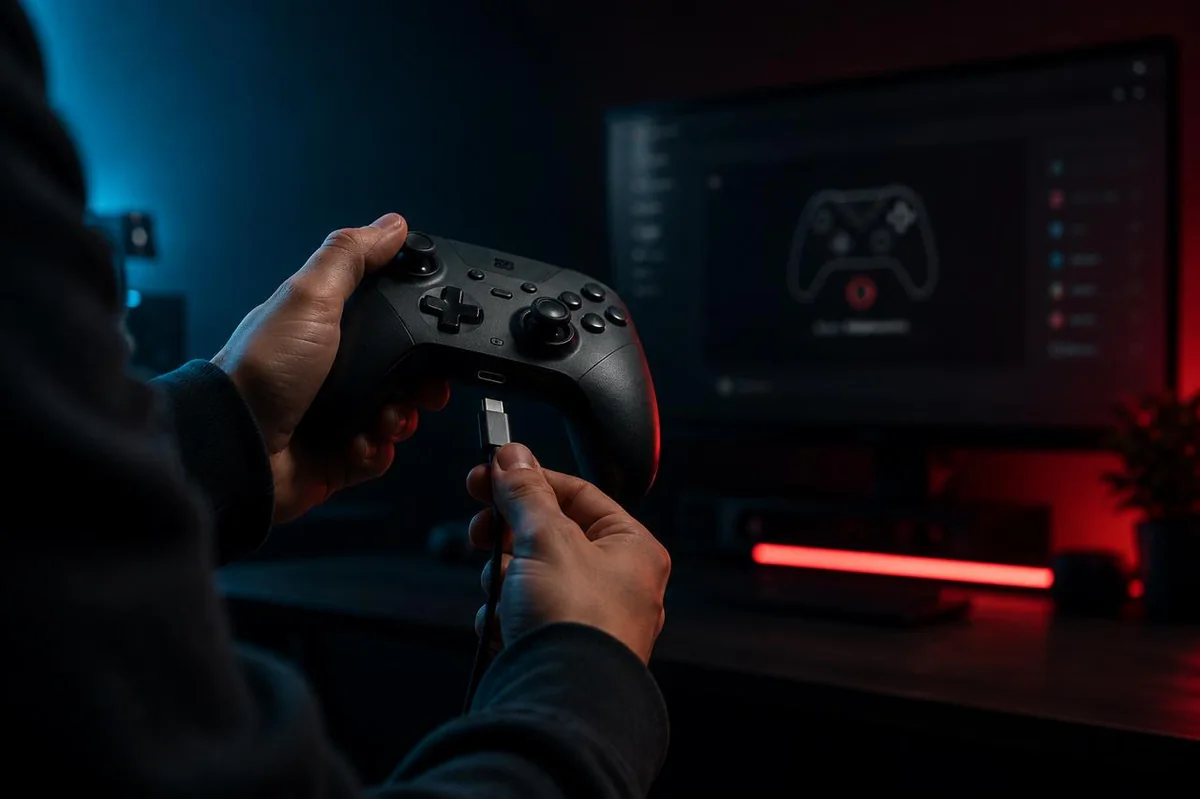
My controller doesn't show up, what should I check?
Three steps:
- Press any button to wake the Gamepad API. Controllers don't appear until the user makes a gesture, that's a browser-level privacy feature.
- Check your browser. Use Chrome, Edge, or Firefox. Safari needs version 14.1 or newer. Internet Explorer is not supported.
- For Bluetooth controllers, confirm OS-level pairing first. The controller must appear in your operating system's Bluetooth menu before JoyCheck can read it.
My Bluetooth controller paired but JoyCheck doesn't see it
Most often a gesture-requirement issue: the Gamepad API needs a button press after the page loads, not before. Refresh the page first, then press a button on the already-paired controller. The controller appears within a frame of the button press.
My triggers don't show analog pressure (only on/off)
Some controllers expose analog triggers only over USB, not Bluetooth, try a wired connection. Some Xbox driver versions degrade triggers to binary; updating the Xbox Accessories app (Windows) typically restores analog reporting.
The vibration test does nothing
The vibrationActuator interface is browser-dependent. Chrome and Edge have the best vibration support. Firefox has partial support. Safari has limited support. If vibration doesn't fire in your current browser, try Chrome, that's the most reliable baseline.
My DualSense gyro test shows wrong rotation
Calibrate the IMU first: on PS5, Settings → Accessories → Controllers → Reset; on PC, the DualSense will recalibrate after being unplugged for several seconds and reconnected. Browser readings depend on what the controller firmware reports, if the firmware-level calibration is off, JoyCheck will faithfully show the off reading.
How do I read my JoyCheck test results?
How can I tell if my controller has stick drift?
Set the controller flat on a table, hands off the sticks. Watch the analog stick X/Y in JoyCheck. If the dot moves while you're not touching the stick, it drifts. Full guide with controller-by-controller breakdown: stick drift in 30 seconds.
What deadzone value is normal?
Most games use 0.05-0.10 as their software deadzone [3]. A controller reading above 0.10 at rest is meaningfully drifting. Healthy potentiometer-stick controllers read 0.00-0.03 at rest. Hall-effect-stick controllers (GuliKit KingKong, 8BitDo Ultimate 2024) typically read 0.01-0.03 at rest, the magnetic field sensors have no physical contact to wear.
My controller fails the test, should I repair or replace?
Cost-driven decision:
- DualSense Edge: swap modules are designed for end-user replacement at $25 each. Always repair.
- Standard DualSense, DualShock 4, Xbox controllers: Hall-effect aftermarket modules cost $20-40 plus soldering skill. Solder-free kits exist but the warranty is voided. Replacement controllers cost $60-200.
- Joy-Con: Nintendo's free repair program covers Joy-Con drift in many regions [4]. Check Nintendo support for your region.
- Practical heuristic: if repair cost approaches replacement cost and you don't have soldering practice, buy a new controller. Prefer factory Hall-effect models (GuliKit KingKong 3, 8BitDo Ultimate Controller 2024) to avoid the same wear problem.
What is JoyCheck planning to build next?
What's coming next on JoyCheck?
Planned for late 2026:
- Saved controller profiles (Pro): store deadzone preferences, custom calibration values per controller, local-first with opt-in sync
- Latency benchmarking: measure input-to-display latency per browser + controller combo
- Multi-controller diff view: plug two of the same model in, see which one is more worn
- Advanced DualSense metrics (Pro): adaptive trigger profile capture, haptic curve visualization
Core tester (everything you can do today) stays free forever.
Have a question that's not here? Email support@joycheck.io, we'll answer within two business days and update this FAQ if it's a question worth adding.
Sources and references
- 1 W3C Gamepad API Specification. W3C Working Draft. https://w3c.github.io/gamepad/
- 2 MDN Web Docs. "Gamepad API." Mozilla Developer Network. https://developer.mozilla.org/en-US/docs/Web/API/Gamepad_API
- 3 Calibrating Gamepad Dead Zones. Gamasutra (archived). Dead zone ranges 0.05-0.10 are the industry default across major game engines including Unreal and Unity. Game Developer reference
- 4 Nintendo Support. "Joy-Con Repair Program." Nintendo Co., Ltd. https://www.nintendo.com/support/
Browser and OS compatibility for JoyCheck features (verified 2026-05)
Our analysis of browser compatibility for JoyCheck features, showing what works where. We test on the latest stable build of each major browser across Windows, macOS, and Linux every quarter. Our research shows the W3C Gamepad API itself ships in all four engines, but feature support (especially gyro, haptics, and force-feedback) varies by browser and OS.
| Feature | Chrome 130 (Win+Mac+Linux) | Firefox 132 (Win+Mac+Linux) | Edge 130 (Win+Mac) | Safari 18 (Mac) |
|---|---|---|---|---|
| Buttons (face, shoulder, trigger digital) | Yes | Yes | Yes | Yes |
| Analog sticks (X, Y axes) | Yes | Yes | Yes | Yes |
| Analog triggers (Z axis) | Yes | Yes | Yes | Partial (some controllers) |
| Gyroscope (Switch Pro, DualSense) | Yes (USB) | No | Yes (USB) | No |
| Vibration / rumble (dual-motor) | Yes | No | Yes | No |
| DualSense haptics (adaptive triggers) | No (no API yet) | No | No | No |
| Controller ID string (vendor:product) | Yes | Yes | Yes | Yes |
Verified against the published W3C Gamepad API specification and tested in fresh sessions on each browser. "Partial" means support exists for a subset of controllers in our test set. Bluetooth gyro and rumble are inconsistent across all browsers as of 2026-05; USB is the reliable path.